
The notifications center is where you will receive all of your messages. Here’s a list of different messages you will receive in the notification center:
@mention
When you or a team member write a memo in the Notes section of a work item, you can use the @mention feature to tag a colleague. When you do, that colleague will receive a notification that they were tagged with a link to that work item.
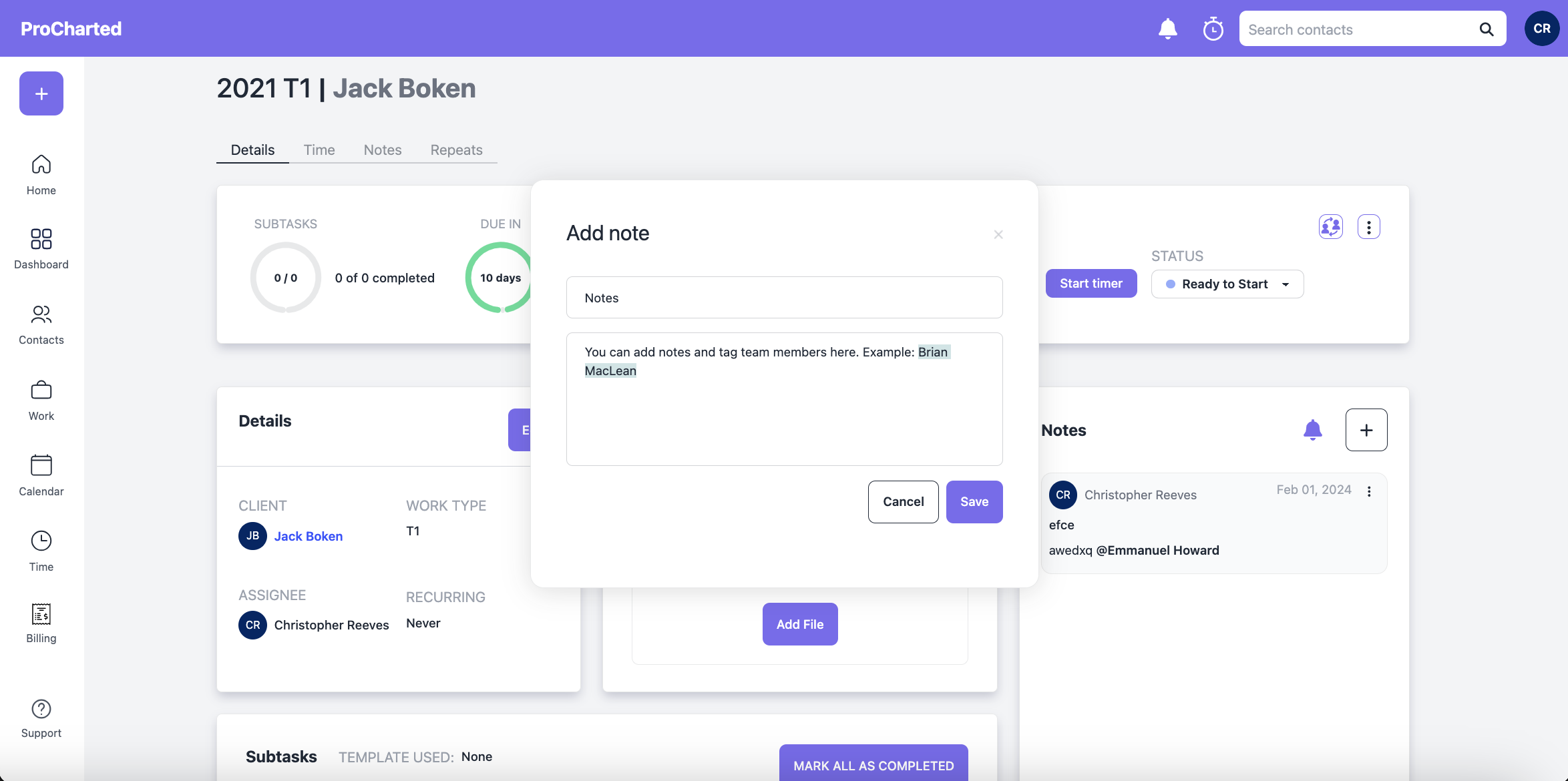
Notes
If you are a participant in a note thread, you will get a notification everytime someone leaves a new note so you are always kept in the loop of what’s going on with that project. You can always remove yourself from the thread if you wish.
There are 3 ways to be a participant in a note thread:
You are the assignee of the work item:
If you are the assignee of the work item, you automatically get a notification every time a user leaves a note.
You are @mentioned in a note:
If you are @mentioned in a note, you will receive a notification and you will automatically be added to the thread. You’ll receive a notification every time a note is added.
You create a note or add a comment to an existing note:
If you create a new note or add a comment to an existing note you will automatically become a participant of the thread and be notified whenever there is a new comment.
Tip: you can easily remove yourself from a conversation by clicking on the bell icon in the Notes section of a work item, then removing your name from the list.
Reassign a subtask
Subtasks are assigned by default to the user who originally creates a work item, however, you can re-assign individual subtasks to other team members. When you do, that team member gets a notification that a subtask was assigned to them.
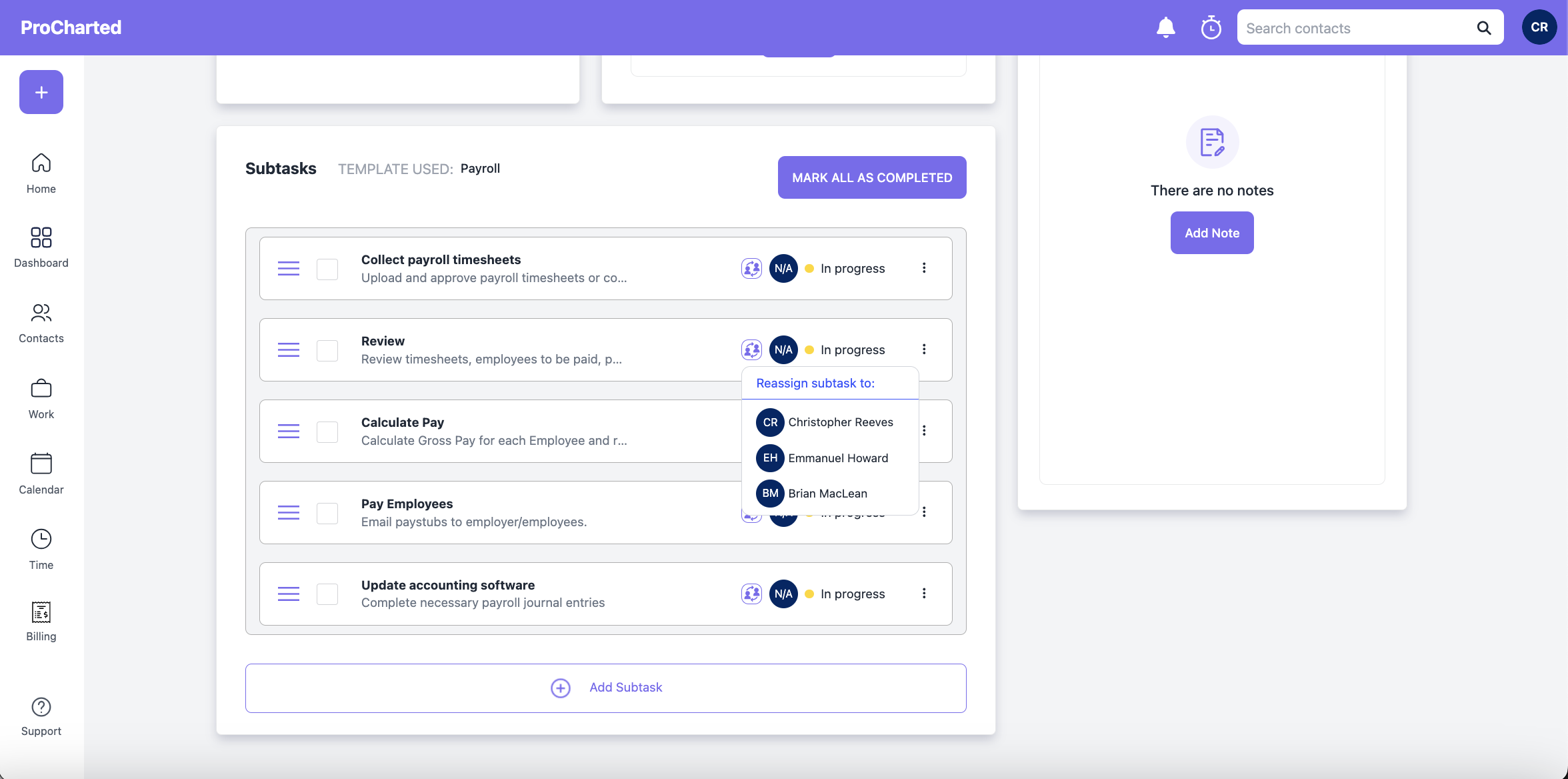
Subtask completed
When you reassign a subtask to another team member, you will get a notification once they complete that subtask.
Have questions? Please don’t hesitate to contact us for more support!