
Here’s how to tag teammates in work item notes with an @ mention to send them a notification about an important task.
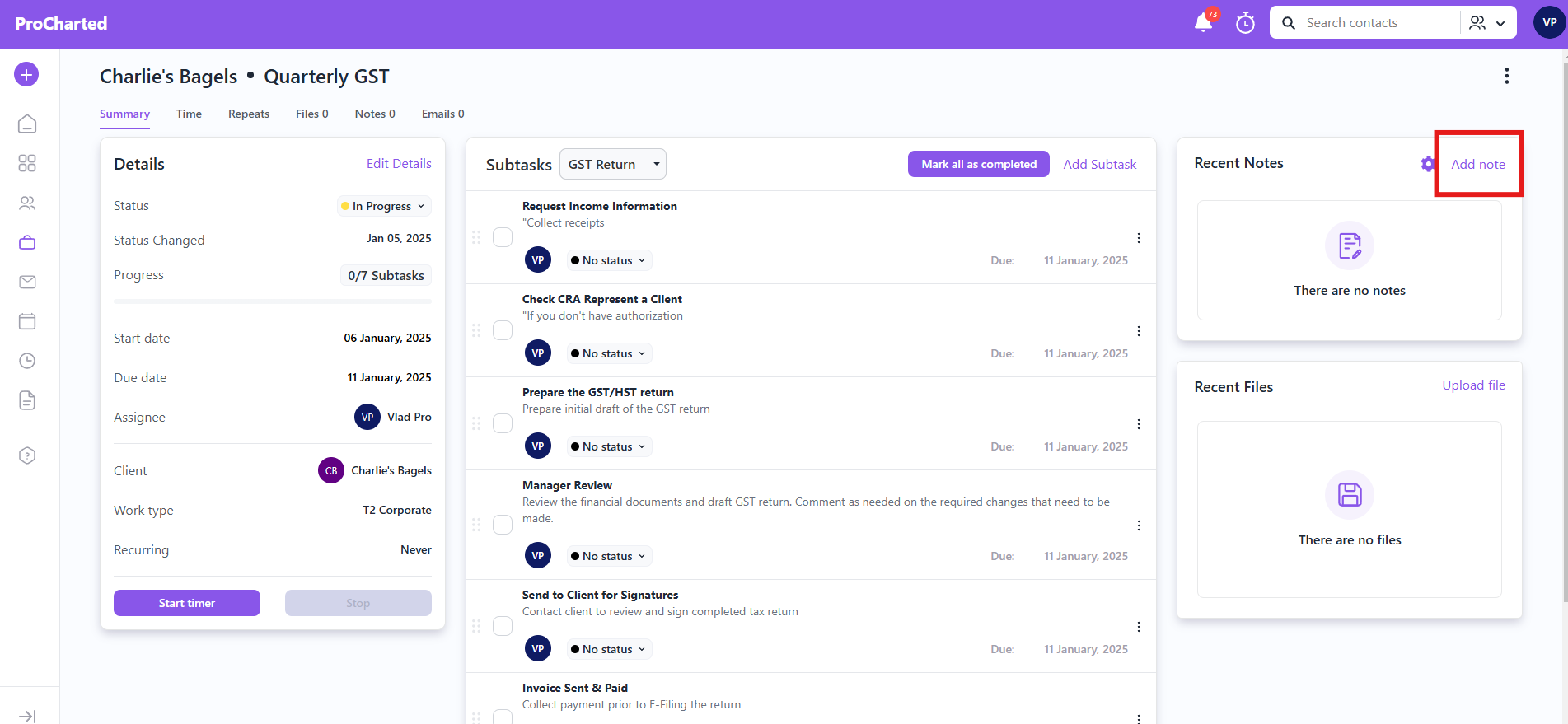
Step 1: Click on the work item you would like to add an @ mention to. Navigate to the Notes section and click the “+” icon to add a note.
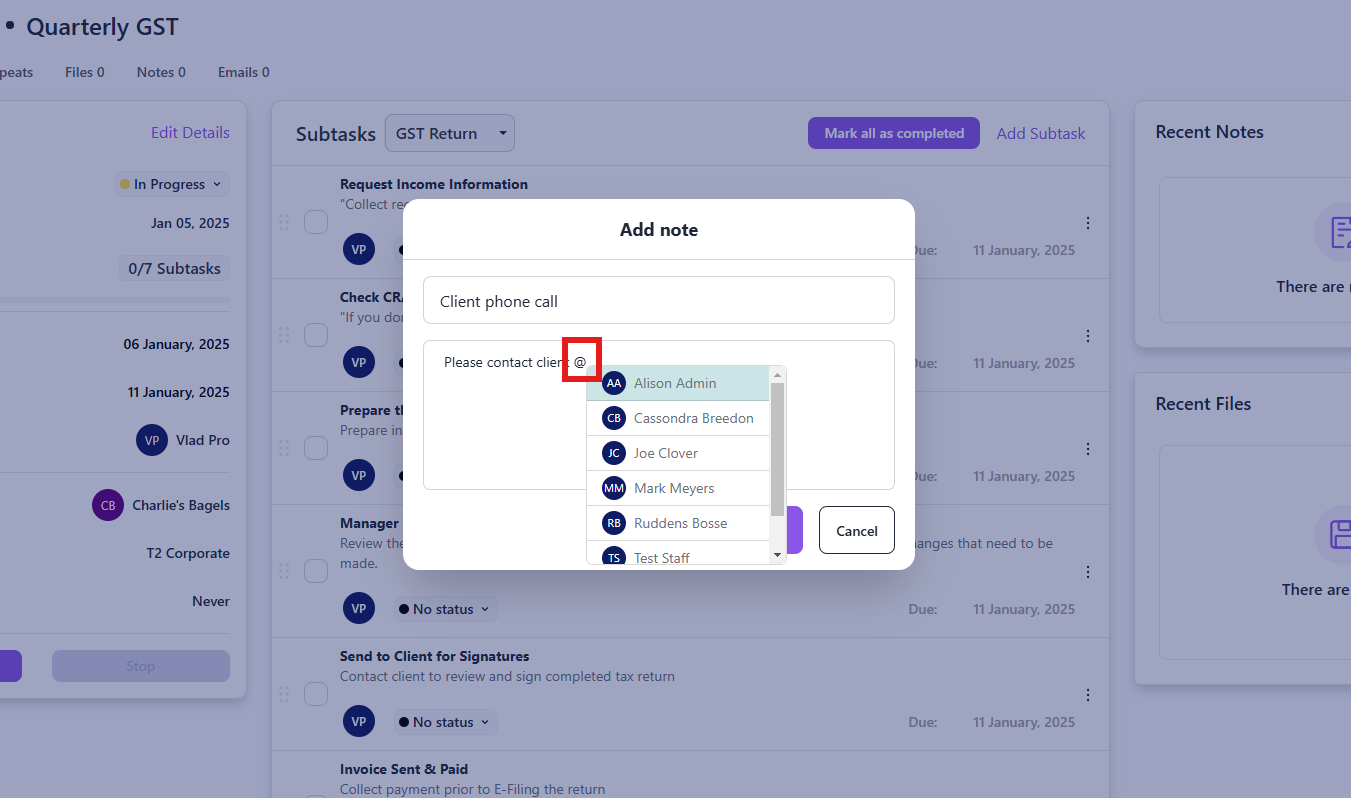
Step 2: In the text field, type “@” and a list of all team members in ProCharted will pop up. Select the team member you’d like to tag.
Step 3: When you save the note, the team member you tagged will receive a notification that they were mentioned in a comment. They’ll be able to click on the notification to go directly to the work item and read the details.
Have questions? Please don’t hesitate to contact us for more support!