
See how your firm
is really doing
Ten ready-made reports on your work, time and billing. Filter by team member, client or work type, then export any report to Excel in one click.
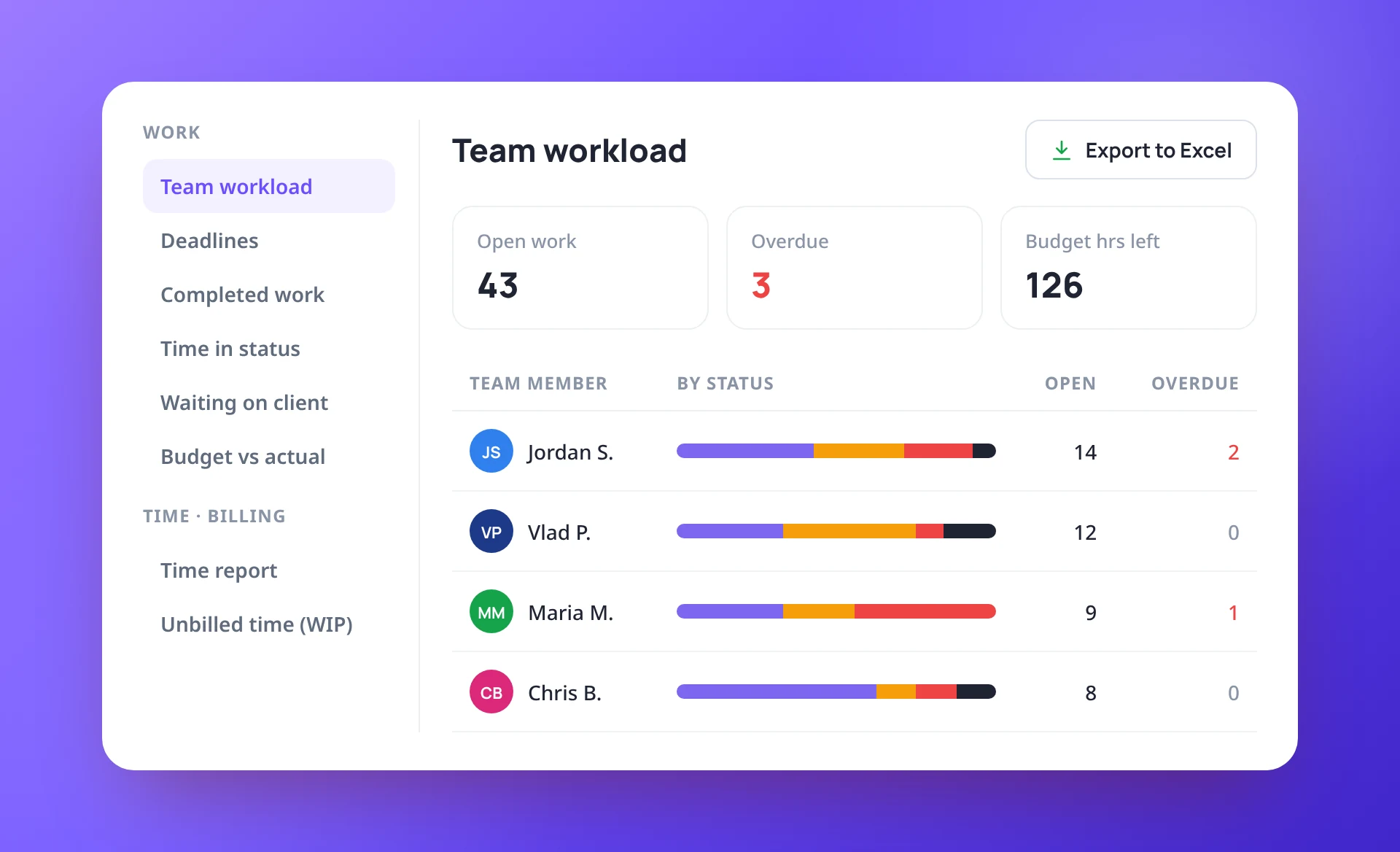
Know who has what, and what is late
Team workload shows the open work on each person’s plate, split by status, with overdue counts and the budget hours left. Deadlines lists what is overdue, due this week and due in the next 30 days.
- Team workload by person and status
- Overdue, due this week and next 30 days
- Work assigned to a role is counted too

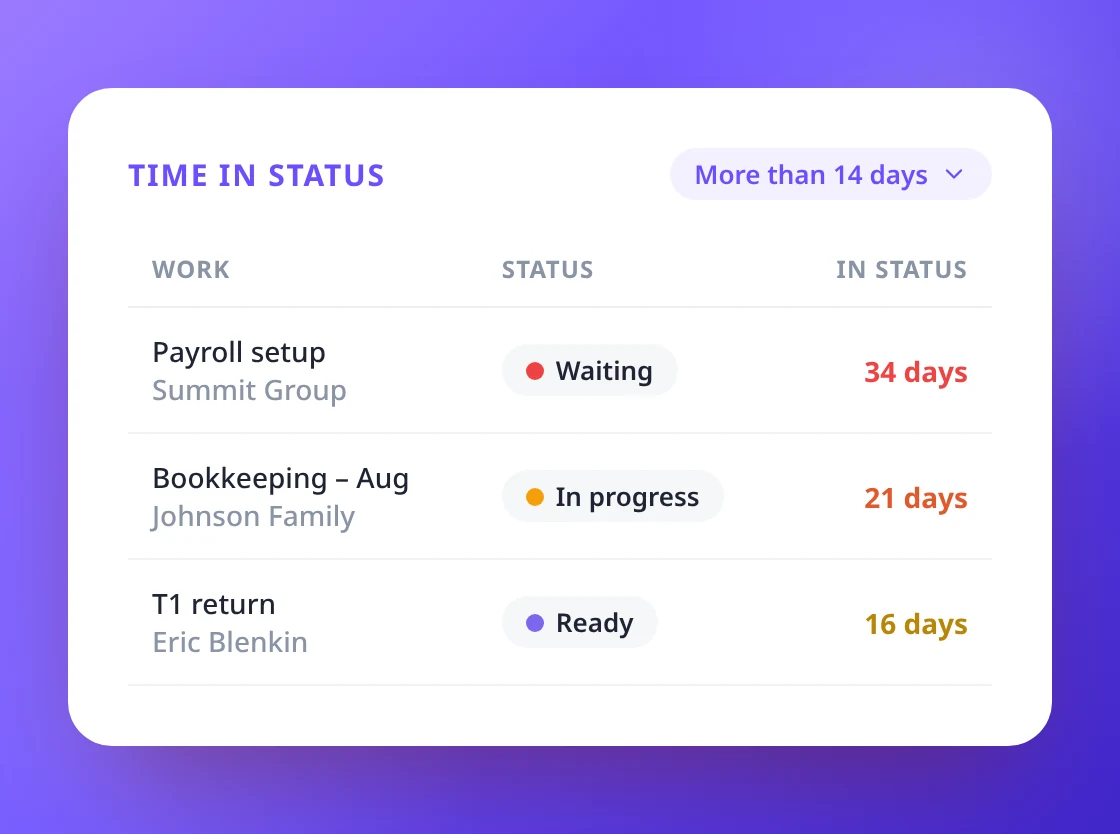
Find work that is stuck before it costs you
Time in status flags jobs that have sat still for more than 7, 14 or 30 days. Waiting on client shows the longest waits first, and whether a reminder sequence is already chasing the client.
- Time in status, longest first
- Waiting on client, with sequence progress
- Budget vs actual hours on every job
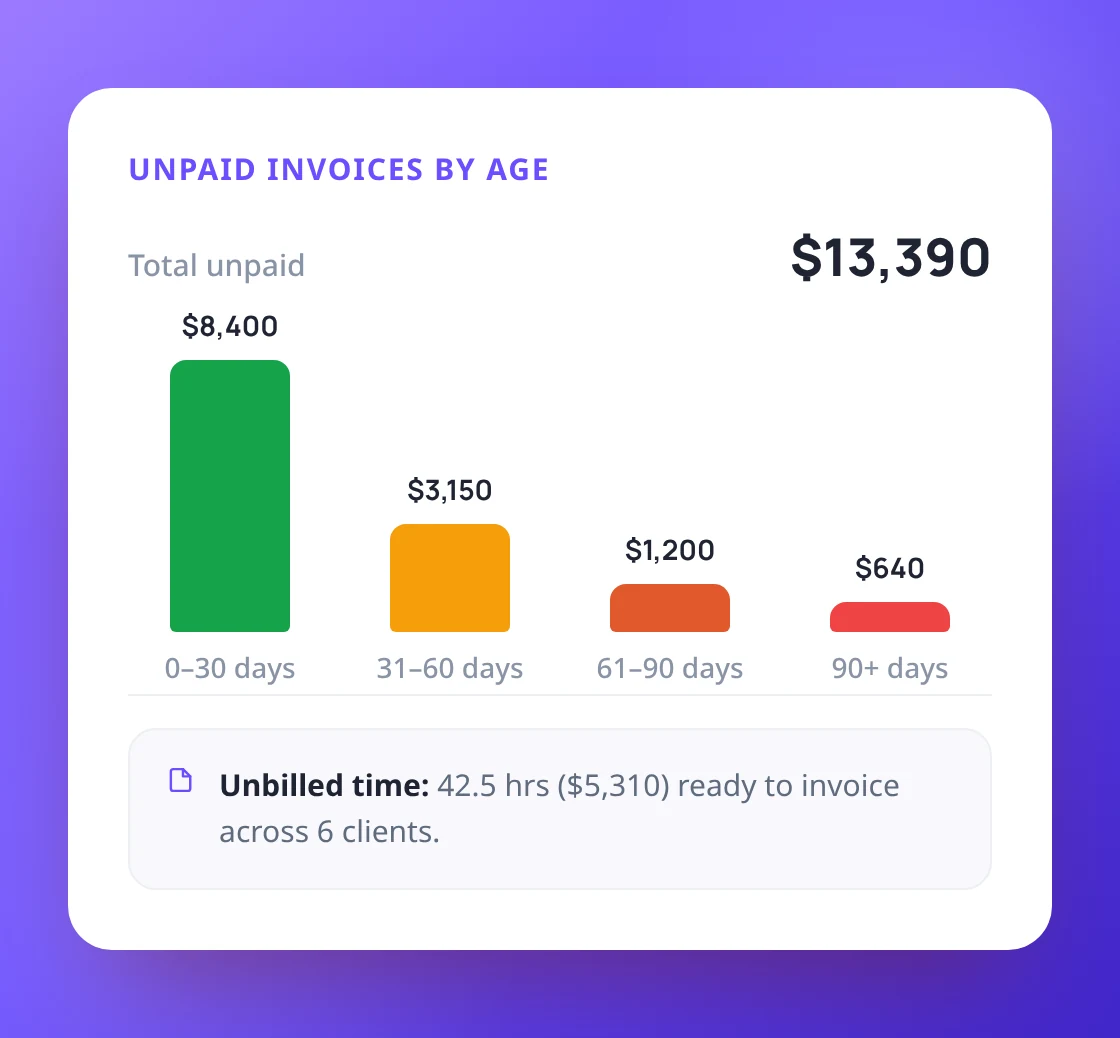
Unbilled time, unpaid invoices and revenue
See billable time that has not been invoiced yet, by client, and start the invoice right from the report. Track what clients owe in 30, 60 and 90-day buckets, and revenue month by month against last year.
- Unbilled time (WIP) with one-click Create invoice
- Unpaid invoices by age: 0–30, 31–60, 61–90, 90+
- Revenue by client, service or team member

Every report, your way, in Excel
Narrow any report by team member, client and work type, pick a date range, and export exactly what you see to an Excel file. Staff see their own numbers; billing figures need billing access.
- Date ranges from this month to all time
- Export to Excel (.xlsx) on every report
- Respects each person's permissions
Run your firm on real numbers
the reports with your own questions.